Testing Not Working
If generate tests is not working on your machine try the following solutions to see if they help
- Quit and re-open VS-Code
- Clean the language server
- Click the search bar at the top of VS-Code
- Click
Show and Run Commands - Type
Java: Clean Java Language Server Workspace
- Entirely restart the machine
If your tests exist but you get an error
- If your error is
Failed to get workspace folder from test item- Inside VS-Code, click
File > Open Folder. Look at the top of the pop up that comes up and click the arrow circled below.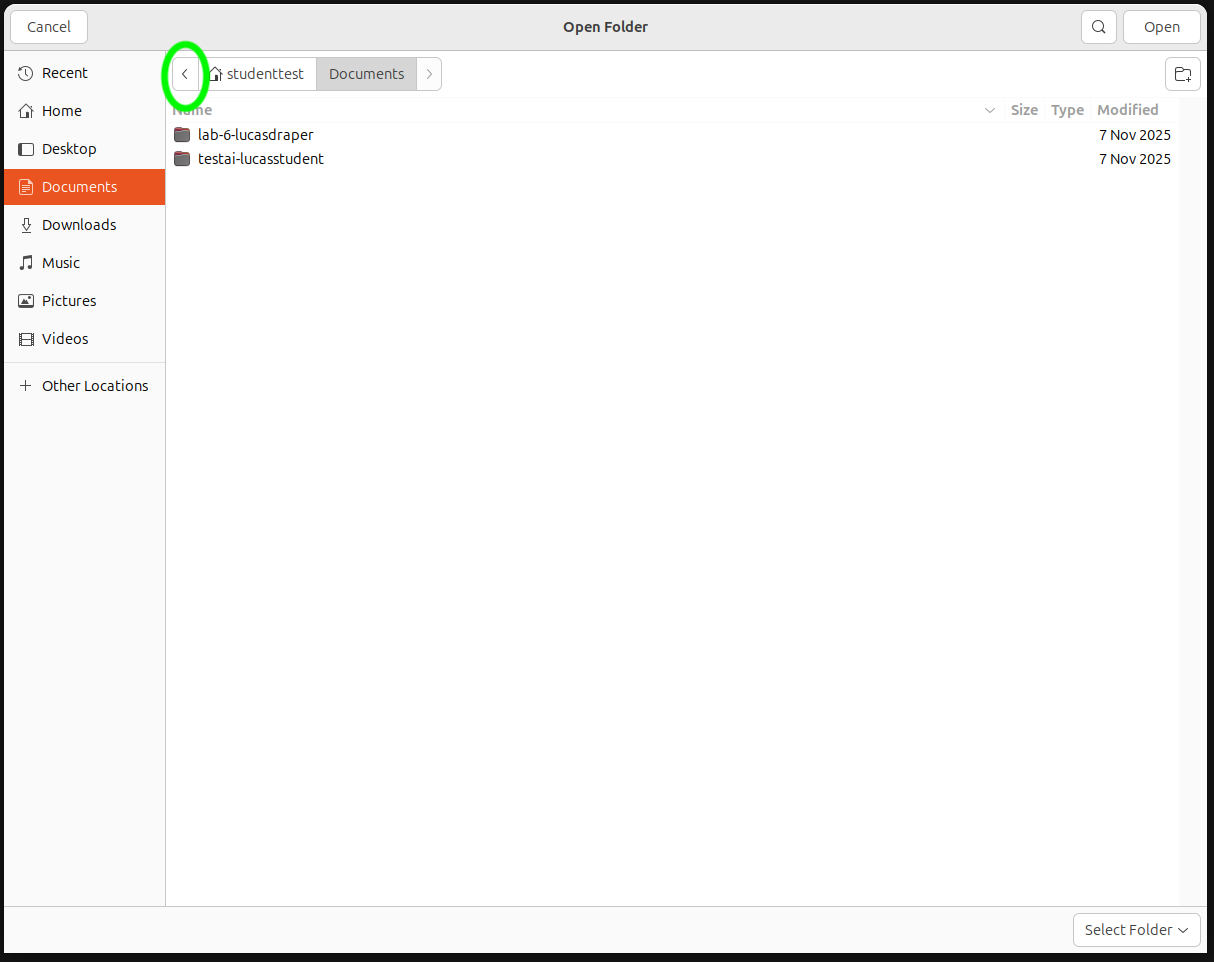
- It will say one of two things.
/usr/users/quota/students/followed by a year and your obieID OR/zfs/students/followed by your username.
- If it starts with
usr, you are in a simlinked version of your lab, which can cause problems. Follow the rest of these steps. If it starts withzfs, you are in the correct place. Try the steps for generate tests not working, and then ask your instructor for help. - Write down the year your folder is in
- Click the disk drive image to the left of
usr. - Open the
zfsfolder, then the year you wrote down then find your ObieID and open that folder. Then clickopenin the top right. - You should now be able to run your tests (you may need to close and re-open VS-Code for this to work)
- Inside VS-Code, click
If none of the above work, please talk to your instructor and/or Lab Manager.